How it works
You choose a genre, like rock or Lo-fi, and a mood, like Friday Deploy or Debugging. The app suggests one playlist for today.
The daily pick
The pick is the same all day, and the same for everyone who chooses the same genre and mood. So if a playlist fits your afternoon, you can tell someone else how to find it. Tomorrow it changes.
The Moods page lists every genre and mood.
Play
Press Play and the playlist opens in Spotify. A short line under the buttons says what is playing.
If Spotify is closed, Sudo Play starts it first and then plays. This can take a few seconds. If Spotify is still starting after about 20 seconds, the line asks you to press Play again.
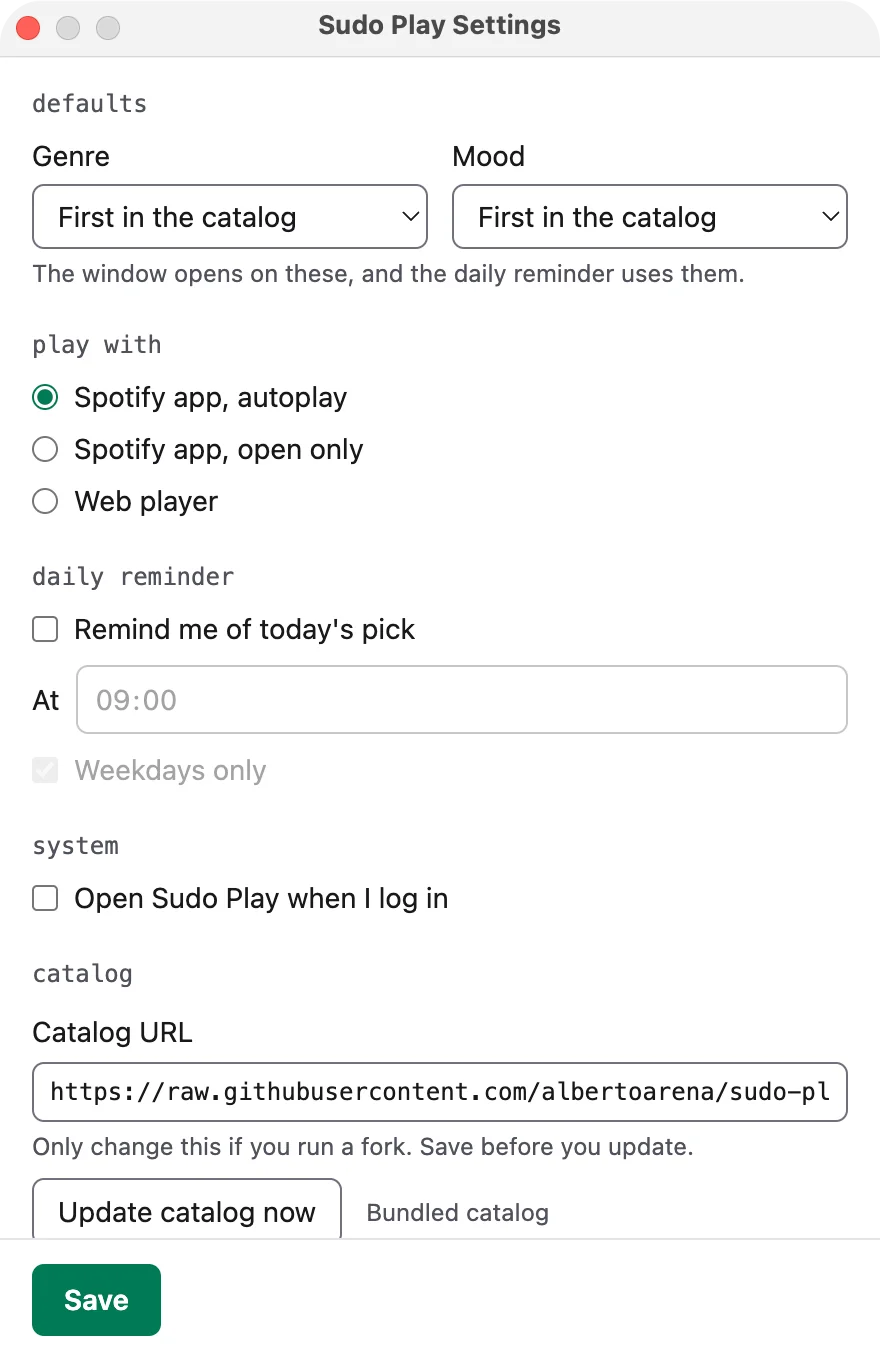
This is the autoplay player mode, and it is the default. In Settings you can choose "open only" or the web player instead. Then the playlist opens in Spotify or in your browser, and you press play there. The line says where it opened.
Next and Surprise me
Press Next to cycle to another playlist. Press Surprise me to let the app choose the genre and the mood for you.
The keyboard
Everything works from the keyboard too.
| Key | What it does |
|---|---|
| Enter | Play |
| N | Next |
| S | Surprise me |
| Esc | Close the window |
| Tab | Move between the genre chips, the mood chips and the buttons |
| Arrow keys | Pick a chip |
Screen readers read a mood by its name, without the emoji.
The daily reminder
There is an optional daily reminder, so a playlist is waiting when you start work. You turn it on in Settings.
The macOS permission
If you choose the autoplay player mode, macOS asks for permission to control the Spotify app. This is a standard Automation permission. It lets Sudo Play send a play command to Spotify on the same Mac. It gives the app's makers no data.
You can take the permission back in System Settings, under Privacy and Security. The app asks for nothing else. The app's privacy policy (opens in a new tab) has the details.
Add a playlist
The playlists come from the app's catalog, and anyone can add one with a pull request. The app's README explains how, in Adding a playlist (opens in a new tab).